EDUCATIONAL FORMAT GUIDE
Revolut Bank Statement Example
This Revolut bank statement example explains what a Revolut statement contains and how to read it. It is an educational field map, not an official Revolut document, proof of funds or editable template.
Revolut bank statement example: what an official statement contains
According to Revolut Business help, an account statement can include the company or account holder name, registered address, account name and details, the opening and closing balance for the selected currency account, each transaction with its type, and a transaction summary for the period. Personal accounts follow the same pattern with the individual's name and address in place of company details.
Because a Revolut account can hold several currencies, each currency account is usually presented separately. A GBP statement and a EUR statement for the same customer are two documents with their own opening balance, transactions and closing balance, even when they cover the same dates. Any Revolut statement should therefore be read one currency at a time.
Illustrative Revolut bank statement example
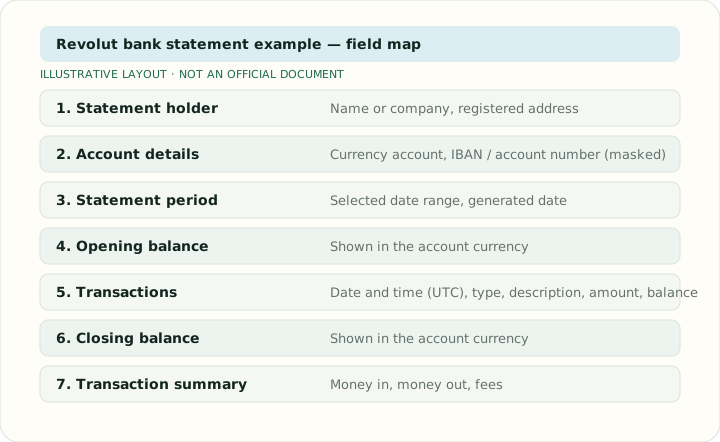
The table and diagram below map the areas a reader can expect to find. Values are generic labels rather than copied statement data, and the order can differ between personal, business, PDF and CSV versions.
| Area | Illustrative content |
|---|---|
| Statement holder | Name or company, registered address |
| Account details | Currency account, masked IBAN or account number |
| Statement period | Selected date range and generated date |
| Opening balance | Shown in the account currency |
| Transactions | Date and time (UTC), type, description, amount, balance |
| Closing balance | Shown in the account currency |
| Transaction summary | Money in, money out and fees for the period |
How to download a Revolut bank statement
Revolut Business help describes the workflow: open Statements from the Home menu, choose Account statement, select the currency account and the date range, pick a file type, then generate and download or share the file. Revolut lists PDF, CSV, XML (Camt.053) and TXT (MT940) for the Business account-statement workflow. Personal accounts expose a similar Statements option from the account screen in the app. Availability of formats varies by product, country, permissions and account type, so treat the list as a guide rather than a guarantee.
Statements generated this way are the authentic record. An example statement on a third-party site, including this one, is never a substitute for a document downloaded from your own Revolut account.
Currency, PDF vs CSV and transaction time in a Revolut statement
Revolut's Business guidance says statements default to UTC. When local-time settings are configured, CSV downloads can include both local and UTC transaction times, which matters for reconciling card payments made while travelling or for month-end cut-offs. The PDF is designed for reading, sharing and proof-of-address style requests; the CSV is easier to filter, sort and analyse in a spreadsheet because each transaction is already one row with separate date, description, amount, fee and balance columns.
Amounts are shown in the currency of the selected account. Exchanges between currency accounts appear as a transaction in each account, so a conversion from GBP to EUR produces a debit on the GBP statement and a credit on the EUR statement.
Using a Revolut statement for spreadsheet analysis
If you are authorised to process the document, start from the CSV when Revolut offers it, since no PDF extraction is needed. When only a PDF is available, convert it with the Bank Statement to CSV or Bank Statement to Excel tools, then check that the opening balance plus the net movement equals the closing balance printed on the statement, that the transaction count matches, and that UTC timestamps have been interpreted consistently. Keep the original PDF as the authoritative record; the spreadsheet is a working copy for review and reconciliation.
Read Revolut's official statement guidance ↗
More bank statement examples
Revolut bank statement example FAQ
Is this an official Revolut statement template?
No. It is an educational field map with generic labels. Download authentic statements only through your own authorised Revolut account.
Can a Revolut statement be downloaded as CSV?
Yes for the cited Revolut Business workflow, which lists PDF, CSV, XML (Camt.053) and TXT (MT940). Options can vary by country, product and permissions.
Why can transaction times differ from my local time?
Revolut says statements default to UTC. CSV files can include local and UTC times once local-time settings are configured.
Can this page prove an account balance?
No. Only an authentic statement generated by Revolut can serve as an official record or proof of funds.