Each supported caret-terminated transaction becomes one row.
Supported input and export details
QIF split transactions are not supported. Ambiguous dates require the date order to be selected.
Set required export details in “Account and export details” before converting. The preview shows up to ten transactions and totals by account and currency. Opening or running balances are not inferred, and previewed transactions cannot be edited here. Download links expire after 24 hours.
Why use this QIF to CSV converter
QIF uses letter-coded fields, and this parser converts supported unsplit bank transaction records into a flat table. It rejects split records instead of losing category-allocation detail.
S, E and $ fields are rejected because split-aware export is not implemented.
Interpreted dates are shown next to the raw D lines before export.
L lines go to a Category column, split into parent and child for Parent:Child values.
The !Account header is carried so multi-account exports stay sortable.
The QIF is discarded from the server once the job record is written; only the checksum stays.
Who converts QIF to CSV
Years of exported history become a table any program can import.
Category totals can be checked in a spreadsheet.
A client's QIF export is reviewed in Excel or Sheets.
A plain table is a durable copy of legacy data.
QIF to CSV: how each field is mapped
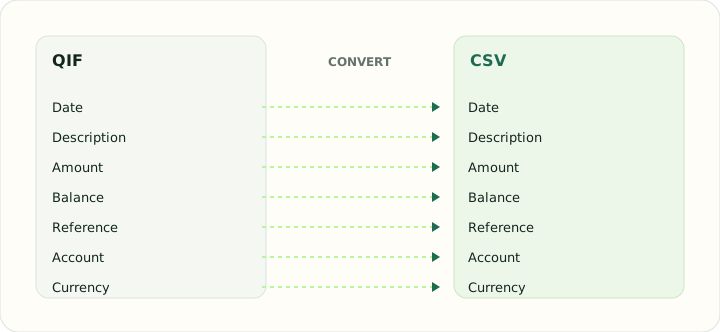
QIF letter codes map directly to columns. The table shows each code and the column it becomes.
| Field | In QIF | In CSV |
|---|---|---|
| Date | D line, locale-dependent format | One text column; ISO format recommended |
| Description | P (payee) and M (memo) lines | Free-text column, quoted when it contains commas |
| Amount | T line, signed | Signed Amount column, or Debit and Credit columns |
| Balance | Not stored | Optional Balance column |
| Reference | N line for check number | Optional Reference column |
| Account | !Account header block | Not stored unless added as a column |
| Currency | Not stored; account currency applies | Not stored unless added as a column |
Converting QIF to CSV in practice
Parsing QIF records into a spreadsheet table
QIF uses letter-coded fields and caret-terminated records. This parser accepts only unsplit bank, credit-card and cash transactions; split records are rejected because flattening them would lose allocation detail.
QIF has no locale marker. Ambiguous dates require you to choose month/day/year or day/month/year; unsupported date syntax is rejected.
After converting, check that:
- The input contains no split transactions
- Ambiguous dates use the correct selected order
- Parsed category and memo fields match the source
How to convert QIF to CSV in three steps
- 1Upload the QIFAdd the export; multi-account files are fine.
- 2Choose date order if neededSelect month/day/year or day/month/year for ambiguous date strings.
- 3Download the CSVOpen the parsed transaction table in a spreadsheet.
About QIF and CSV
QIF exports use letter codes for fields and carets to end records. Old files may use two-digit years or an apostrophe separator for years after 1999.
CSV is a flat table. Split transactions are rejected, and no split index or original grouping is generated.
Specifications and vendor help for QIF and CSV: Quicken support · RFC 4180, the CSV specification
Questions about CSV conversion
How are splits handled?
Split records are rejected; use an unsplit QIF export.
What if the dates look wrong?
Choose the correct date order in Account and export details, then run the conversion again.
Are categories preserved?
A parsed category is included in one Category column when the source provides it.
Can I convert a multi-account QIF?
A QIF Account header identifies an account; convert files separately when account sections are not supported.
Is this qif to csv converter online and free?
Yes. It runs in the browser with nothing to install, and downloading the CSV is free.
Is there qif to csv converter freeware for Windows?
You do not need freeware or an installer: the conversion happens online and the CSV downloads directly.