Dates arrive as dates and amounts as numbers, so sorting, filters and SUM work the moment the workbook opens.
Supported input and export details
Bank and credit-card transactions are supported. Investment downloads and unsupported statement structures are rejected.
Set required export details in “Account and export details” before converting. The preview shows up to ten transactions and totals by account and currency. Opening or running balances are not inferred, and previewed transactions cannot be edited here. Download links expire after 24 hours.
Why use this QFX to Excel converter
Quicken data is needed outside Quicken more often than expected: for a tax preparer, a shared budget or a report. Converting the download to a workbook with real date cells, numeric amounts and a summary sheet makes it usable immediately, without the formatting work that pasting text would require.
Both layouts are written so any formula style works.
TRNTYPE values appear as readable words.
Transaction counts and money in, money out and net totals grouped by account and currency.
FITIDs are text cells, so they never become scientific notation.
The QFX is checked, fingerprinted with SHA-256 and discarded the moment the job is recorded.
Who converts QFX to Excel
Downloads become workbooks for sharing or analysis.
Clients' Quicken data arrives as a workbook rather than a program-specific file.
Spending by category is a pivot table away.
Reports for a partner or lender can be built from the workbook.
QFX to Excel: how each field is mapped
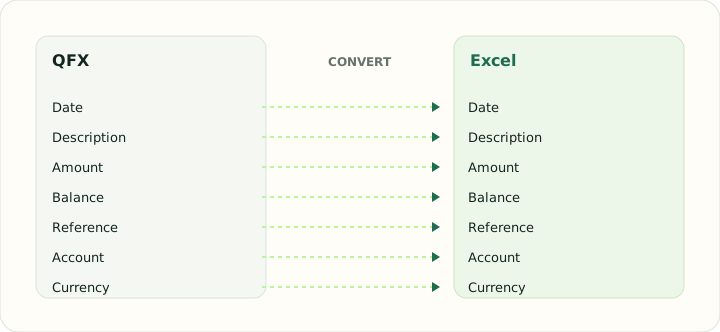
Every QFX element has a natural cell type. The table shows the element and how it is typed in the workbook.
| Field | In QFX | In Excel |
|---|---|---|
| Date | DTPOSTED timestamp, date part used | Typed date cells that sort and filter correctly |
| Description | NAME holds the payee, MEMO the longer text | Text cells; wrapped descriptions stay in one cell |
| Amount | Signed TRNAMT value | Numeric Debit, Credit and signed Amount cells |
| Balance | LEDGERBAL as of the download date | Numeric running balance column |
| Reference | FITID from the bank, CHECKNUM for checks | Text cells so leading zeros survive |
| Account | Account block with Quicken's INTU.BID institution ID | Sheet header or a dedicated column |
| Currency | CURDEF code | Number format applied per column |
Converting QFX to Excel in practice
Opening Quicken downloads as a typed workbook
Quicken users often need transactions outside Quicken for a tax preparer, a budget review or a shared report. The converter turns the QFX transaction list into a worksheet with real date cells, numeric Amount, Debit and Credit columns, a Type column with the OFX transaction codes spelled out, and the FITID as text so it survives copy-and-paste between workbooks.
The workbook adds a summary sheet with parsed transaction counts, money in, money out and net totals. It does not infer statement period or verify opening/closing balances.
After converting, check that:
- Money in and money out totals on the summary sheet match the transaction sheet
- The FITID column is text, not a number in scientific notation
- Type codes are readable words
How to convert QFX to Excel in three steps
- 1Upload the QFXAdd the Quicken download you want as a workbook; several months can go in together.
- 2Check the summaryTotals and balances are shown before export.
- 3Download the workbookOpen it in Excel or any spreadsheet; the summary sheet is the first tab.
About QFX and Excel
A QFX download holds identified transactions with a posting date, amount, name and memo, plus account details and a ledger balance.
An XLSX workbook stores typed cells on named sheets, which is why dates sort and amounts sum without cleaning.
Specifications and vendor help for QFX and Excel: Quicken support · Microsoft Excel support
Questions about Excel conversion
Does the summary sheet reconcile?
Money in minus money out on the summary equals the net movement on the transaction sheet.
Are the identifiers safe from Excel's number formatting?
Yes. They are written as text cells.
Can I convert credit card downloads?
Yes. Purchases and payments are placed in the Debit and Credit columns.
Are investment downloads supported?
Only banking and card transactions; investment sections are skipped.
Is this qfx to excel converter online only?
Yes. It runs in the browser, so there is nothing to install and the workbook downloads directly.
Can I convert QFX to Excel free?
Yes. Uploading the QFX, checking the summary and downloading the workbook is free.