Enter the valid numeric institution ID required by your destination.
Supported input and export details
PDF input is limited to searchable text files with a YYYY-MM-DD, Description and signed Amount transaction table. Scanned PDFs and other layouts are not supported; export CSV from your bank instead.
This export requires an account ID, currency, actual closing balance and date; bank feeds also require a valid numeric institution ID and a routing ID for checking or savings accounts. These values are not guessed, and destination compatibility is not guaranteed.
Set required export details in “Account and export details” before converting. The preview shows up to ten transactions and totals by account and currency. Opening or running balances are not inferred, and previewed transactions cannot be edited here. Download links expire after 24 hours.
Why convert Bank Statement files to QBO
QBO requires correct institution and account metadata. The converter requires you to supply it, preserves signed transaction amounts and generates a QBO-formatted working file; the destination application must still validate and match the account.
Money direction comes from the explicit signed Amount column, not statement sections.
Source IDs are preserved when present; generated IDs do not guarantee duplicate detection.
Choose checking, savings or credit card in the export options and confirm the selection against your source.
The PDF is hashed for the job record and then removed from the server.
Who converts Bank Statement to QBO
Test a small working export and confirm account mapping and accepted file format.
Compare parsed rows against the original statement before any import.
Provide the correct institution and account metadata for the receiving company.
Use the bank-issued statement as the source of truth; balances are not reconciled by this parser.
Bank Statement to QBO: how each field is mapped
A QBO file is an OFX statement with QuickBooks institution details. The table shows how each statement field is placed in the file and which fields QuickBooks reads during matching.
| Field | In Bank Statement | In QBO |
|---|---|---|
| Date | Transaction and posting dates printed on each line | Posting date as a DTPOSTED timestamp |
| Description | Merchant or payee text, often wrapped over two lines | Payee in NAME, detail in MEMO |
| Amount | Separate debit and credit columns, or a signed amount | TRNAMT, negative for money out |
| Balance | Running balance after each line on most statements | Closing balance in LEDGERBAL |
| Reference | Check numbers and bank references inside the description | Bank identifier FITID; CHECKNUM when present |
| Account | Masked account number and statement period in the header | Account block plus the INTU.BID number QuickBooks validates |
| Currency | Statement currency in the header | Three-letter code in CURDEF |
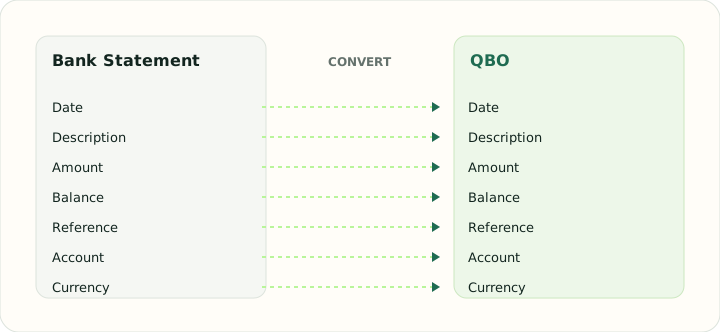
Converting Bank Statement to QBO in practice
Turning a PDF statement into a QuickBooks bank feed
QBO needs a valid institution ID and account-feed metadata. Enter institution ID, account ID, currency, account type, routing ID when applicable, and the actual closing balance and date. The converter will not invent an institution identifier or claim QuickBooks will accept the file.
The supported PDF table must contain signed amounts; the sign is carried into the output as provided. The converter does not infer deposit or withdrawal direction from statement sections or extract check numbers from descriptions.
After converting, check that:
- The entered institution and account details match the intended bank feed
- Signed amounts and transaction count match the original
- QuickBooks accepts the downloaded file before committing a large import
How to convert Bank Statement to QBO in three steps
- 1Upload a supported PDFUse the documented searchable table layout; scans and other statement designs are rejected.
- 2Enter actual account dataProvide institution, account, routing, currency, closing balance and balance date as requested.
- 3Test in QuickBooksReview the destination's account mapping and transactions before importing a larger file.
About Bank Statement and QBO
The strict PDF table parser does not interpret statement sections or masked account numbers. Enter real destination metadata manually; the output is a working file and not a bank-authenticated feed.
QBO is a Web Connect format with institution and account requirements. Acceptance, matching rules and duplicate handling depend on QuickBooks and the target account.
Specifications and vendor help for Bank Statement and QBO: QuickBooks support
Questions about QBO conversion
Will QuickBooks accept the file?
Acceptance depends on the institution ID, account metadata, account setup and QuickBooks version. Test before relying on it.
Will duplicate transactions be detected?
The file format does not guarantee this. Check the destination register before importing overlapping periods.
Are bank rules applied?
That is determined by QuickBooks after import; this converter does not apply or verify those rules.
Can credit card statements be converted?
Only supported signed transaction tables are parsed; verify credit-card sign conventions before import.