A generic title and grouped totals appear before transaction text lines.
Supported input and export details
Bank and credit-card transactions are supported. Investment downloads and unsupported statement structures are rejected.
PDF reports support Latin text only and are a working copy, not an official bank statement.
Set required export details in “Account and export details” before converting. The preview shows up to ten transactions and totals by account and currency. Opening or running balances are not inferred, and previewed transactions cannot be edited here. Download links expire after 24 hours.
Why convert OFX files to PDF
The PDF output is a generic working report with summary totals and plain text transaction lines. It does not render official statement layout, account headers, period, or running balances.
Opening, closing and running balances are not calculated in the PDF.
Transaction type codes are written as words in their own column.
The FITID is printed on each row for traceability.
The report is not an official bank statement or proof of funds.
The OFX is verified, fingerprinted and then deleted; the report is generated from the job, not from a stored copy.
Who converts OFX to PDF
A readable statement can be attached to a reconciliation when the bank's PDF is missing.
Read transaction rows and totals without financial software.
Keep a simple report alongside the original financial download.
Inspect a PDF working copy before preparing any formal report elsewhere.
OFX to PDF: how each field is mapped
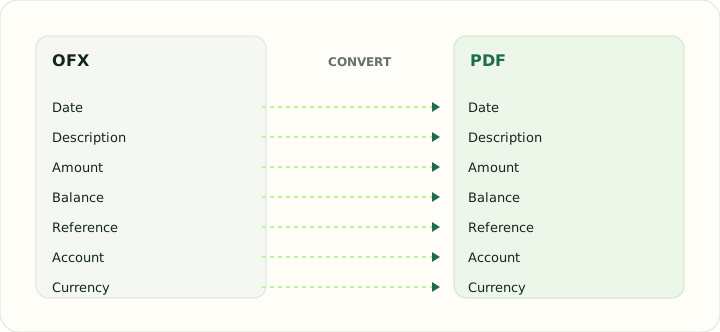
The report prints every element the OFX carries. The table shows which element feeds each printed column.
| Field | In OFX | In PDF |
|---|---|---|
| Date | DTPOSTED in YYYYMMDD form | Printed date column |
| Description | NAME and MEMO elements | Printed description column |
| Amount | Signed TRNAMT | Printed Debit and Credit columns with totals |
| Balance | LEDGERBAL block at statement close | Printed running balance |
| Reference | FITID unique ID plus CHECKNUM | Printed within the description |
| Account | BANKACCTFROM with routing and account IDs | Report header |
| Currency | CURDEF element | Formatted with a symbol in each cell |
Converting OFX to PDF in practice
Producing a readable statement from an OFX download
The PDF report contains a generic title, grouped totals and one plain text line per parsed transaction. It does not render statement headers, period, type codes, identifiers, a running balance, repeated headers or page numbers.
Use it as a simple working report only. It is not a statement issued by the bank and does not replace the source file or reconcile a supplied ledger balance.
After converting, check that:
- Transaction descriptions and signed amounts match the source
- Grouped totals are correct
- The report is clearly treated as a working copy
How to convert OFX to PDF in three steps
- 1Upload the OFXAdd the download. Multiple files each produce their own statement section.
- 2Check rows and totalsCompare the transaction lines and grouped totals with the source file.
- 3Download the PDFPrint it or attach it to your records.
About OFX and PDF
OFX downloads contain the raw statement data: account, period, transaction blocks and a ledger balance. They are exact but unreadable without software.
PDF fixes content on the page so it prints and displays identically everywhere. The report is a presentation of the data, not an accounting import.
Specifications and vendor help for OFX and PDF: Financial Data Exchange, maintainer of the OFX standard · PDF Association
Questions about PDF conversion
Does it show a running balance?
No. The PDF contains transaction text lines and grouped totals only.
Can I customise the columns?
No. The output is a plain text transaction listing.
Is the PDF an official statement?
No. It is a report generated from the download; the bank's own statement remains the official record.
What paper size is used?
The layout fits both A4 and Letter.