D, T, P, M and N lines under the right account-type header.
Supported input and export details
Bank and credit-card transactions are supported. Investment downloads and unsupported statement structures are rejected.
QIF cannot carry multiple currencies or opening and running balances.
Set required export details in “Account and export details” before converting. The preview shows up to ten transactions and totals by account and currency. Opening or running balances are not inferred, and previewed transactions cannot be edited here. Download links expire after 24 hours.
Why convert QFX files to QIF
Many budgeting apps and older Quicken versions read QIF but not Web Connect files. Rewriting the download as QIF keeps every transaction and puts the identifier in the memo, which is the only place QIF can hold it and the only defence against duplicates in a format that has none.
The FITID is placed on the M line for manual duplicate checks.
Written in the convention the importing program expects.
Used unless the destination is known to require two digits.
CHECKNUM values are written where QIF importers expect them.
The QFX is deleted as soon as the job is created, leaving a SHA-256 fingerprint for the record.
Who converts QFX to QIF
Releases without Web Connect still import the download.
Apps that read QIF accept the converted file.
GnuCash, HomeBank and similar programs import QIF.
A plain-text copy remains readable without Quicken.
QFX to QIF: how each field is mapped
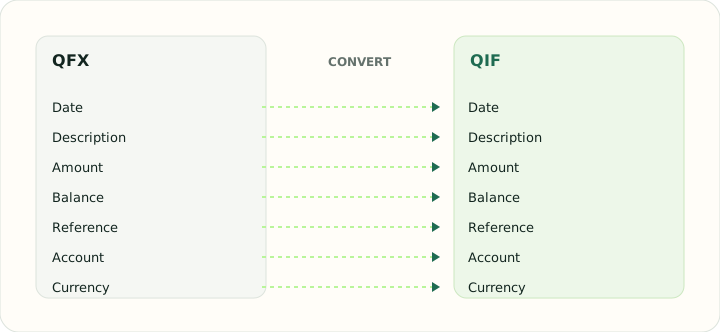
QIF has fewer fields than QFX. The table shows which elements are kept, where they go and what is lost.
| Field | In QFX | In QIF |
|---|---|---|
| Date | DTPOSTED timestamp, date part used | D line, locale-dependent format |
| Description | NAME holds the payee, MEMO the longer text | P (payee) and M (memo) lines |
| Amount | Signed TRNAMT value | T line, signed |
| Balance | LEDGERBAL as of the download date | Not stored |
| Reference | FITID from the bank, CHECKNUM for checks | N line for check number |
| Account | Account block with Quicken's INTU.BID institution ID | !Account header block |
| Currency | CURDEF code | Not stored; account currency applies |
Converting QFX to QIF in practice
Downgrading Web Connect data for QIF-only software
Older Quicken releases and many budgeting apps import QIF but not QFX. The converter writes one QIF record per transaction with D, T, P, M and N lines, sets the account-type header from the QFX account block, and places the FITID in the memo because QIF has no identifier field of its own. That memo is the only defence against duplicates, so keep it when editing the file.
QIF dates are locale-dependent. During review you choose the date order the importing program expects; the converter also writes two-digit years only when the destination is known to require them, since four-digit years are safer for everything released this century.
After converting, check that:
- The !Type header matches the destination account type
- Dates are in the order the importing program expects
- FITIDs are present in the memo lines
How to convert QFX to QIF in three steps
- 1Upload the QFXAdd the download your QIF-only program cannot read yet.
- 2Choose the date orderSelect the convention the importing program uses.
- 3Download the QIFImport it; test one month first if the program cannot undo an import.
About QFX and QIF
A QFX download holds identified transactions in Quicken's Web Connect form.
QIF is a legacy plain-text format with letter-coded fields, no identifiers and no locale marker.
Specifications and vendor help for QFX and QIF: Quicken support
Questions about QIF conversion
Will duplicates be detected on import?
Not by the format. Use the identifier in the memo to check manually.
Which date order should I choose?
The one your program expects; US Quicken uses month/day/year.
Are balances included?
No. QIF does not store balances.
Can I edit the file before importing?
Yes. It is plain text.
Is the qfx to qif converter free?
Yes. Converting the QFX and downloading the QIF is free, with nothing to install.