STMTTRN blocks, FITIDs, dates and amounts are copied without modification.
Supported input and export details
Bank and credit-card transactions are supported. Investment downloads and unsupported statement structures are rejected.
This export requires an account ID, currency, actual closing balance and date; bank feeds also require a valid numeric institution ID and a routing ID for checking or savings accounts. These values are not guessed, and destination compatibility is not guaranteed.
Set required export details in “Account and export details” before converting. The preview shows up to ten transactions and totals by account and currency. Opening or running balances are not inferred, and previewed transactions cannot be edited here. Download links expire after 24 hours.
Why convert OFX files to QBO
QuickBooks refuses a plain OFX file even though QBO is built on it. The missing pieces are an institution identifier and an account type from the set QuickBooks supports. Adding them leaves every transaction unchanged and lets QuickBooks treat the file exactly like a download it received from the bank.
The INTU.BID element and account block QuickBooks checks are added.
Types QuickBooks does not accept are mapped to the closest supported type.
The OFX header is rewritten to the form QuickBooks expects.
Because FITIDs are unchanged, QuickBooks recognises transactions imported by other routes.
The download is validated, given a SHA-256 checksum and wiped from the server when the job is recorded.
Who converts OFX to QBO
Banks that offer OFX but not QBO downloads can still be uploaded as a bank feed.
Client OFX files go through one conversion and arrive in QuickBooks with rules applied.
Web Connect imports accept the same file.
Banks outside North America often provide OFX only; the QBO wrapper makes them importable.
OFX to QBO: how each field is mapped
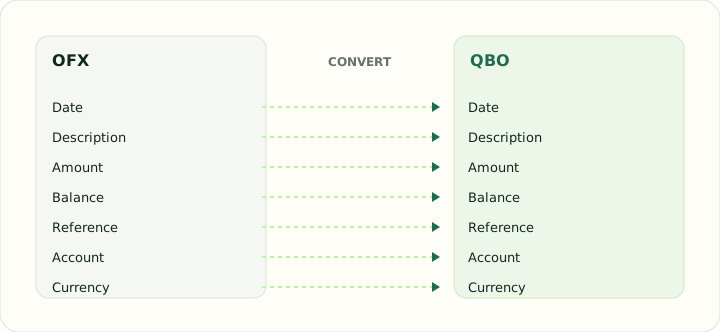
QBO and OFX share every transaction element; the difference is in the header. The table shows what is copied and what is added.
| Field | In OFX | In QBO |
|---|---|---|
| Date | DTPOSTED in YYYYMMDD form | Posting date as a DTPOSTED timestamp |
| Description | NAME and MEMO elements | Payee in NAME, detail in MEMO |
| Amount | Signed TRNAMT | TRNAMT, negative for money out |
| Balance | LEDGERBAL block at statement close | Closing balance in LEDGERBAL |
| Reference | FITID unique ID plus CHECKNUM | Bank identifier FITID; CHECKNUM when present |
| Account | BANKACCTFROM with routing and account IDs | Account block plus the INTU.BID number QuickBooks validates |
| Currency | CURDEF element | Three-letter code in CURDEF |
Converting OFX to QBO in practice
Adding the QuickBooks-specific fields OFX lacks
The exporter writes the supported parsed transactions with a user-supplied valid numeric institution ID, account ID, currency, account type, closing balance and balance date; bank accounts also need routing details. It does not promise that QuickBooks will accept or match the file.
Source FITIDs are preserved where available, but duplicate handling is controlled by the destination. Check the QuickBooks register before importing overlapping periods.
After converting, check that:
- The supplied metadata matches the intended destination account
- Transaction count and signed amounts match the source
- Test acceptance and duplicate behavior in QuickBooks
How to convert OFX to QBO in three steps
- 1Upload the OFXAdd the download your bank produced; QBO-ready details are added next.
- 2Confirm the account typeChoose the QuickBooks account type that matches the account.
- 3Download and upload to QuickBooksUse Upload transactions in QuickBooks Online or Web Connect in Desktop.
About OFX and QBO
OFX is the general Open Financial Exchange format used by banks for downloads. Its statement block carries account details and identified transactions.
QBO is QuickBooks' constrained OFX: it requires an institution identifier, a supported account type and a specific header form.
Specifications and vendor help for OFX and QBO: Financial Data Exchange, maintainer of the OFX standard · QuickBooks support
Questions about QBO conversion
Will QuickBooks match transactions I already imported?
Yes. The identifiers are unchanged, so QuickBooks flags anything it has seen before.
Does the institution ID need to be my bank's?
No. A generic identifier is accepted for manual uploads.
What if my OFX is version 2 XML?
It is read and rewritten in the header form QuickBooks accepts.
Are credit card downloads supported?
Yes. Credit-card transaction blocks are supported. Investment files are rejected.
Is this an ofx to qbo converter free to use?
Yes. Uploading the OFX, confirming the account type and downloading the QBO is free.
How do I convert an OFX file to QBO for QuickBooks Online?
Upload the OFX, choose the account type, download the QBO and use Upload transactions in QuickBooks Online.