Parsed transactions appear as plain text lines with available fields.
Supported input and export details
Bank and credit-card transactions are supported. Investment downloads and unsupported statement structures are rejected.
PDF reports support Latin text only and are a working copy, not an official bank statement.
Set required export details in “Account and export details” before converting. The preview shows up to ten transactions and totals by account and currency. Opening or running balances are not inferred, and previewed transactions cannot be edited here. Download links expire after 24 hours.
Why convert QFX files to PDF
The PDF output is a generic text report with transaction rows and grouped totals. It does not render a statement header, card-specific labels or running balances.
The report shows money in, money out and net totals by account and currency.
It does not use bank statement or card-specific presentation conventions.
Opening, closing and running balances are not calculated.
The report is not proof of account activity, identity or balance.
The QFX exists on the server only long enough to build the report; the job keeps a checksum, not the file.
Who converts QFX to PDF
A readable statement can be produced from any download.
Read parsed transaction lines and totals without Quicken.
Keep a basic report alongside the original download.
Check a simple working copy before preparing formal documents elsewhere.
QFX to PDF: how each field is mapped
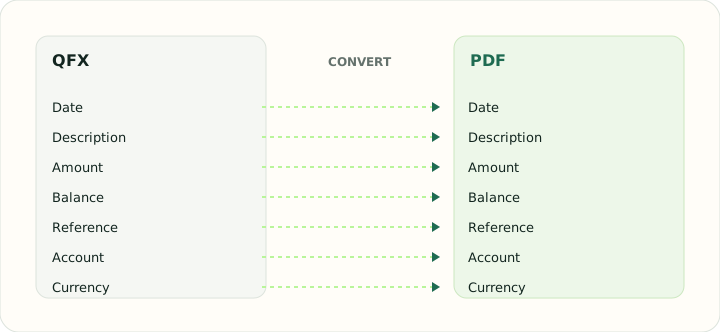
Every QFX element is printed on the report. The table shows the element and where it appears.
| Field | In QFX | In PDF |
|---|---|---|
| Date | DTPOSTED timestamp, date part used | Printed date column |
| Description | NAME holds the payee, MEMO the longer text | Printed description column |
| Amount | Signed TRNAMT value | Printed Debit and Credit columns with totals |
| Balance | LEDGERBAL as of the download date | Printed running balance |
| Reference | FITID from the bank, CHECKNUM for checks | Printed within the description |
| Account | Account block with Quicken's INTU.BID institution ID | Report header |
| Currency | CURDEF code | Formatted with a symbol in each cell |
Converting QFX to PDF in practice
A simple PDF report from a Quicken download
The PDF exporter creates a simple report with a generic title, grouped totals and one plain text line per transaction. It does not rebuild an official statement layout, account header, report period or running balance.
The output uses the same transaction-line format for bank and credit-card sources. It is a working copy for reference, not proof of an account balance.
After converting, check that:
- Descriptions and signed amounts match the source
- Grouped totals are correct
- The PDF is treated as a working report
How to convert QFX to PDF in three steps
- 1Upload the QFXAdd the supported bank or credit-card transaction download.
- 2Check the sourceCompare each transaction and grouped totals with the QFX download.
- 3Save the PDFKeep it as a basic working report beside the original QFX.
About QFX and PDF
A QFX download holds identified transactions, account details and a ledger balance in Quicken's Web Connect form.
PDF presents that content as a fixed document; the report is not an accounting import.
Specifications and vendor help for QFX and PDF: Quicken support · PDF Association
Questions about PDF conversion
Is this an official bank statement?
No. It is a report generated from the download.
How are credit-card downloads presented?
They use the same plain transaction-line layout; no card-specific labels are added.
Can I hide fields in the report?
No. Report fields are generated automatically.
Does it show a period or balance?
No. It shows grouped totals and transaction lines only.
Is there a qfx to pdf converter online free?
Yes. Uploading a supported QFX and downloading the simple working report is free.
Does this create a formal statement PDF?
No. It creates a basic transaction listing and totals, not an official bank statement.