SGML-style OFX 1 with unclosed tags and OFX 2 XML are parsed the same way, including bank, credit card and mixed downloads.
Why use this OFX to Excel converter
Banks hand out OFX because finance software reads it, but a spreadsheet cannot: the transactions are tagged elements, timestamps carry time-zone suffixes, and the account details live in a header rather than beside each row. The conversion rebuilds all of that as a workbook where dates are dates, amounts are numbers, and the account, currency and period sit in columns you can filter on.
DTPOSTED values with time and zone suffixes are written as plain date cells.
Each signed TRNAMT is written to either the Debit or the Credit column, with the signed value kept in an Amount column for formulas.
FITID is written as text, so Excel never rounds or reformats it.
Period, account, ledger balance and money in and out totals on a second sheet.
The OFX is validated, hashed with SHA-256 and deleted from the server once the job exists.
Who converts OFX to Excel
Bank downloads go straight into the ledger workbook with typed cells.
A client's download becomes a workbook they can review in Excel.
Several accounts merge into one workbook with account columns to group by.
A spreadsheet copy of every download without a personal-finance program in between.
OFX to Excel: how each field is mapped
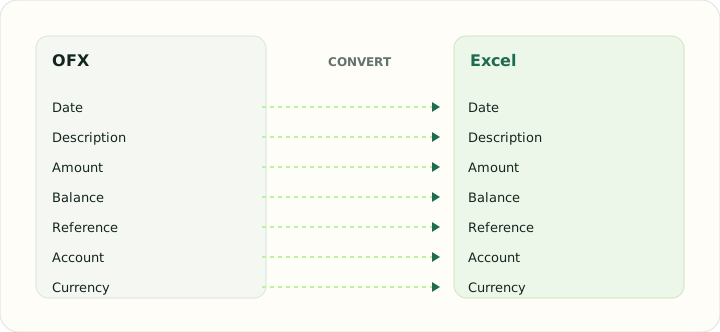
OFX elements map onto typed cells. The table shows each element, where it comes from in the file and how it is typed in the workbook.
| Field | In OFX | In Excel |
|---|---|---|
| Date | DTPOSTED in YYYYMMDD form | Typed date cells that sort and filter correctly |
| Description | NAME and MEMO elements | Text cells; wrapped descriptions stay in one cell |
| Amount | Signed TRNAMT | Numeric Debit, Credit and signed Amount cells |
| Balance | LEDGERBAL block at statement close | Numeric running balance column |
| Reference | FITID unique ID plus CHECKNUM | Text cells so leading zeros survive |
| Account | BANKACCTFROM with routing and account IDs | Sheet header or a dedicated column |
| Currency | CURDEF element | Number format applied per column |
Converting OFX to Excel in practice
From tagged download to workbook rows
OFX comes in two dialects — SGML-style files with unclosed tags and OFX 2 XML — and banks fill different optional elements. The converter reads both dialects the same way and always produces the same columns: Date, Type, Payee, Memo, Check Number, Debit, Credit, Amount, Balance where the file has one, FITID, and the account ID, type and currency from the header. Missing elements leave an empty cell rather than shifting the row.
Because the account columns are on every row, downloads from several accounts can be converted in one job and filtered in the workbook. The summary sheet lists each file with its period, transaction count and ledger balance, which is the quickest way to spot a download that stopped short of the month end.
After converting, check that:
- Every row has account ID, type and currency filled
- Summary totals match the transaction sheet
- FITID column is text
How to convert OFX to Excel in three steps
- 1Upload the OFX downloadsAdd one or more files from any bank. The account columns keep them apart.
- 2Check the summaryTransaction count, period and ledger balance are shown for each file.
- 3Download the workbookOpen it in Excel, LibreOffice or Google Sheets; the summary sheet reconciles to the transaction sheet.
About OFX and Excel
OFX is the Open Financial Exchange download format: an account block, a date range, transaction blocks with a unique identifier each, and a ledger balance. Banks differ in which optional elements they fill.
An XLSX workbook stores typed cells on named sheets, so the converted download sorts, filters and sums without clean-up.
Specifications and vendor help for OFX and Excel: Financial Data Exchange, maintainer of the OFX standard · Microsoft Excel support
Questions about Excel conversion
Does the workbook keep the transaction identifiers?
Yes. FITID is a text column, which is the reliable key for removing duplicates across downloads.
Why do the dates lose their time?
OFX timestamps are almost always midnight in the bank's zone; only the date matters for bookkeeping, so only the date is written.
Can I convert several OFX files at once?
Yes. Up to 20 files per job, each identified by its account columns in the workbook.
Are credit card downloads supported?
Yes. They use the same transaction blocks and are handled identically.
Is this ofx to excel converter free?
Yes. Uploading the OFX, checking the summary and downloading the workbook is free, with nothing to install.
Can I convert OFX to Excel online without Quicken or QuickBooks?
Yes. The converter reads the OFX directly in the browser; no finance software is involved.