Institution, masked account and period from the file.
Supported input and export details
Bank and credit-card transactions are supported. Investment downloads and unsupported statement structures are rejected.
PDF reports support Latin text only and are a working copy, not an official bank statement.
Set required export details in “Account and export details” before converting. The preview shows up to ten transactions and totals by account and currency. Opening or running balances are not inferred, and previewed transactions cannot be edited here. Download links expire after 24 hours.
Why convert QBO files to PDF
The PDF exporter creates a simple text report with grouped totals and transaction rows. It does not reproduce an official statement, period header or running balance.
The report does not calculate a running balance.
DTSTART and DTEND appear in the header to make overlapping downloads easy to compare.
Signed amounts are presented in the columns readers expect.
It is not a bank-issued statement or financial verification document.
Once the report job is recorded the QBO is gone from the server, leaving only its SHA-256 fingerprint.
Who converts QBO to PDF
A readable copy of each download accompanies the reconciliation.
Statements can be shared without QuickBooks access.
Downloads are presented as printable evidence with consistent headers.
Fixed-layout copies remain readable without QuickBooks.
QBO to PDF: how each field is mapped
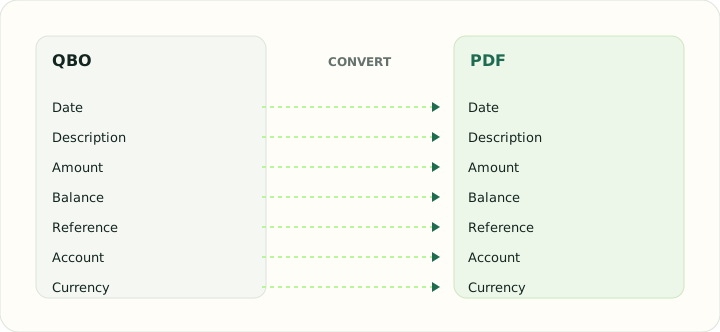
Every element in the download is printed somewhere on the report. The table shows the element and the column or header it feeds.
| Field | In QBO | In PDF |
|---|---|---|
| Date | Posting date as a DTPOSTED timestamp | Printed date column |
| Description | Payee in NAME, detail in MEMO | Printed description column |
| Amount | TRNAMT, negative for money out | Printed Debit and Credit columns with totals |
| Balance | Closing balance in LEDGERBAL | Printed running balance |
| Reference | Bank identifier FITID; CHECKNUM when present | Printed within the description |
| Account | Account block plus the INTU.BID number QuickBooks validates | Report header |
| Currency | Three-letter code in CURDEF | Formatted with a symbol in each cell |
Converting QBO to PDF in practice
Printing a QuickBooks Web Connect file as a statement
The PDF report is a generic text listing with grouped totals and transaction lines. It does not reconstruct a statement header, report period, running balance or official bank layout.
Because QBO files are sometimes downloaded for date ranges that overlap, the report prints the DTSTART and DTEND range prominently so two reports for the same account can be compared for gaps or duplicated days.
After converting, check that:
- Transaction descriptions and signed amounts match the source
- Grouped totals are correct
- The PDF is used only as a working report
How to convert QBO to PDF in three steps
- 1Upload the QBOAdd the download you need as a document.
- 2Review totalsCompare parsed transaction amounts and grouped totals against the source.
- 3Download the PDFPrint or file it.
About QBO and PDF
A QBO file holds a statement period, account details and identified transactions in QuickBooks' Web Connect form.
PDF is a presentation format; the report is a readable rendering of the download, not an accounting import.
Specifications and vendor help for QBO and PDF: QuickBooks support · PDF Association
Questions about PDF conversion
Is the report the same as the bank's statement?
It contains the same transactions for the download period, but it is generated from the file and is not the bank's official document.
Why print the period so prominently?
Downloads often overlap; a visible range makes gaps and duplicates between reports obvious.
Can I customise the report columns?
No. The PDF is a plain transaction listing.
What paper size is used?
The page size suits both A4 and US Letter without scaling.