Each QBO transaction becomes a TRNS line against the bank account and an SPL line against the offset account you choose.
Supported input and export details
Bank and credit-card transactions are supported. Investment downloads and unsupported statement structures are rejected.
This accounting export requires the bank and counterparty ledger names used in your accounting company. It does not create or validate ledgers.
Set required export details in “Account and export details” before converting. The preview shows up to ten transactions and totals by account and currency. Opening or running balances are not inferred, and previewed transactions cannot be edited here. Download links expire after 24 hours.
Why convert QBO files to IIF
Some QuickBooks Desktop workflows post bank transactions in bulk through IIF rather than the bank feed, often to control the offset accounts precisely. Converting a QBO download to IIF keeps the transactions and identifiers while producing the double-entry lines that route requires.
The FITID is written to MEMO so a transaction can be found in the company file later.
Bank and offset account names are chosen in review and must exist in the company file.
CHECKNUM values become document numbers in the register.
The QBO name element becomes the transaction name.
The QBO download is verified, hashed and deleted; the IIF is written from the job, not from a stored copy.
Who converts QBO to IIF
Bank downloads post through the same IIF route as other bulk entries.
Offset accounts are set explicitly rather than left to bank feed rules.
One QBO layout maps to each company's chart of accounts in review.
Editions or setups where Web Connect is unavailable still import the download.
QBO to IIF: how each field is mapped
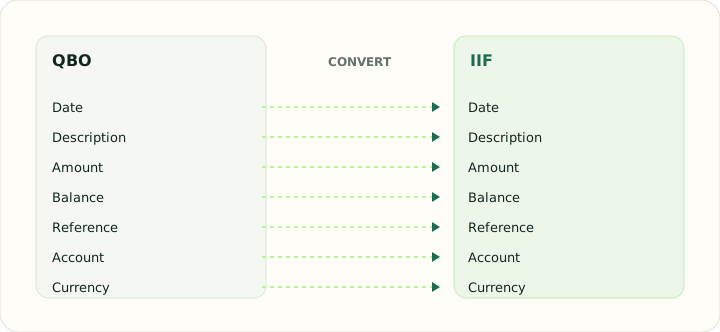
QBO transactions are single-sided; IIF needs both sides. The table shows how each element is placed and where the offset comes from.
| Field | In QBO | In IIF |
|---|---|---|
| Date | Posting date as a DTPOSTED timestamp | DATE field on each TRNS line |
| Description | Payee in NAME, detail in MEMO | NAME and MEMO fields |
| Amount | TRNAMT, negative for money out | Signed AMOUNT with balancing SPL lines |
| Balance | Closing balance in LEDGERBAL | Not stored; QuickBooks recalculates it |
| Reference | Bank identifier FITID; CHECKNUM when present | DOCNUM field |
| Account | Account block plus the INTU.BID number QuickBooks validates | ACCNT name that must exist in the company file |
| Currency | Three-letter code in CURDEF | Company currency |
Converting QBO to IIF in practice
Converting a bank feed file into a QuickBooks Desktop import
QuickBooks Desktop can import QBO through Web Connect, but companies that manage imports through IIF — often because they post transactions to specific accounts in bulk — need the transactions in TRNS/SPL form. The converter creates one TRNS line per QBO transaction against the bank account you name during review and an SPL line against an offset account, with the QBO NAME in the payee field and the FITID in the memo for traceability.
IIF has no duplicate detection, so a QBO already uploaded through Web Connect must not be imported again as IIF. The FITID retained in the memo makes it possible to search the company file for a transaction before importing.
After converting, check that:
- Bank and offset account names exist in the company file
- The FITID is present in each memo
- None of the transactions were previously imported through Web Connect
How to convert QBO to IIF in three steps
- 1Upload the QBOAdd the Web Connect download you intend to post through IIF.
- 2Map the accountsChoose the bank account and offset account or accounts.
- 3Download and importImport through File → Utilities → Import → IIF Files after backing up the company file.
About QBO and IIF
A QBO download describes each transaction from the bank's side only, with an identifier QuickBooks uses for duplicate detection in the bank feed.
IIF has no duplicate detection and requires balanced entries, so the identifier is preserved in the memo and the offset account is supplied during review.
Specifications and vendor help for QBO and IIF: QuickBooks support
Questions about IIF conversion
Will IIF detect transactions already imported via Web Connect?
No. Search the register using the identifier in the memo before importing.
Can different transactions go to different offset accounts?
Yes. Offsets can be set per description pattern in review.
Do account names need to match exactly?
Yes, including capitalisation and sub-account colons.
Which QuickBooks products accept the file?
QuickBooks Desktop editions only.
Is there an OFX, QFX or QBO to IIF converter for other download formats?
QBO is handled here. OFX and QFX downloads share the same structure; convert them to QBO first with the OFX to QBO or QFX to QBO tools, then to IIF.