Transactions, accounts, customers and vendors each land on their own worksheet.
Supported input and export details
IIF input supports simple, balanced transactions with a single split. Multi-split transactions and other IIF record types are rejected.
Set required export details in “Account and export details” before converting. The preview shows up to ten transactions and totals by account and currency. Opening or running balances are not inferred, and previewed transactions cannot be edited here. Download links expire after 24 hours.
Why use this IIF to Excel converter
Excel will open an IIF as tab-separated text, but the result is header definitions, mixed record types and dates stored as text. The converter separates the record types, types every cell correctly and keeps the double-entry structure visible, so the workbook is ready for pivot tables rather than an hour of cleaning.
DATE becomes a date cell, AMOUNT a number and DOCNUM text.
TRNS and SPL lines sit together with a transaction index for grouping and subtotals.
A column shows whether each transaction's lines net to zero.
CLASS, NAME and MEMO columns are carried through for filtering.
The IIF is deleted right after the job is created; the workbook is generated from the parsed records.
Who converts IIF to Excel
Client exports become working papers with totals by account and class.
List exports can be reviewed and cleaned in a workbook before re-import.
Transaction detail from Desktop feeds management reports without manual reformatting.
Every list and transaction type is visible on its own sheet during a system change.
IIF to Excel: how each field is mapped
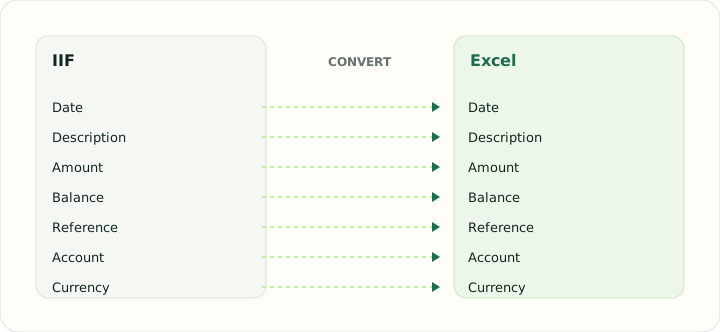
Each IIF field has a natural cell type in Excel. The table shows the field, its IIF origin and how it is typed in the workbook.
| Field | In IIF | In Excel |
|---|---|---|
| Date | DATE field on each TRNS line | Typed date cells that sort and filter correctly |
| Description | NAME and MEMO fields | Text cells; wrapped descriptions stay in one cell |
| Amount | Signed AMOUNT with balancing SPL lines | Numeric Debit, Credit and signed Amount cells |
| Balance | Not stored; QuickBooks recalculates it | Numeric running balance column |
| Reference | DOCNUM field | Text cells so leading zeros survive |
| Account | ACCNT name that must exist in the company file | Sheet header or a dedicated column |
| Currency | Company currency | Number format applied per column |
Converting IIF to Excel in practice
Opening QuickBooks Desktop exports in a workbook
This converter accepts balanced IIF transactions with one SPL line and writes their transaction fields into an Excel workbook. Multi-split transactions, list exports and other record types are rejected.
The workbook is a working copy of accepted rows; it does not preserve full double-entry structure or create a separate sheet for each IIF record type.
After converting, check that:
- Each source transaction has exactly one balancing SPL line
- Document numbers and dates match the source
- Unsupported list or multi-split records were not present
How to convert IIF to Excel in three steps
- 1Upload the IIFAdd the export. The record types found are listed.
- 2Confirm the date formatIIF dates follow the exporting computer's locale, so confirm the order before typing.
- 3Download the workbookOpen it in Excel or LibreOffice; each record type is on its own sheet.
About IIF and Excel
IIF files declare column headers with a leading exclamation mark and then list rows, with transactions split across TRNS and SPL lines. One file can carry several list types alongside transactions.
An XLSX workbook stores typed cells on named sheets, which is the natural home for a file that mixes lists with double-entry transactions.
Specifications and vendor help for IIF and Excel: QuickBooks support · Microsoft Excel support
Questions about Excel conversion
Will each list get its own sheet?
Yes. Transactions, accounts, customers, vendors, items and classes are separated.
Do the splits balance in the workbook?
A check column shows the net of each transaction's lines; anything non-zero indicates a damaged export.
Are dates real Excel dates?
Yes, after you confirm the date order used by the exporting computer.
Can I re-import the workbook into QuickBooks?
Not directly. Use the workbook for review, then create an IIF for import.
Why use an iif to excel converter rather than opening the IIF in Excel?
Excel opens an IIF as raw tab-separated text with header definitions and mixed record types. The converter separates the record types onto sheets and types every cell.