Every statement transaction becomes a receipt, payment or contra voucher with the bank ledger on one side.
Supported input and export details
PDF input is limited to searchable text files with a YYYY-MM-DD, Description and signed Amount transaction table. Scanned PDFs and other layouts are not supported; export CSV from your bank instead.
This accounting export requires the bank and counterparty ledger names used in your accounting company. It does not create or validate ledgers.
Set required export details in “Account and export details” before converting. The preview shows up to ten transactions and totals by account and currency. Opening or running balances are not inferred, and previewed transactions cannot be edited here. Download links expire after 24 hours.
Why convert Bank Statement files to Tally
Entering a bank statement into Tally by hand means one voucher per line, with the right ledger, date, amount and narration each time. Converting the statement produces those vouchers in bulk from the printed lines, leaves the ledger mapping for you to confirm, and keeps the bank's description as the narration so reconciliation later is straightforward.
Counter-ledgers are proposed from the description and confirmed before export; names must exist in the company.
Direction comes from the statement's columns, which is how most Indian bank statements are laid out.
The original description is kept verbatim so bank reconciliation in Tally can match on it.
Choose which date the voucher uses if your reconciliation is based on value date.
The PDF is hashed for the record and deleted from the server.
Who converts Bank Statement to Tally
Client bank statements turn into vouchers in bulk instead of being keyed line by line.
The monthly statement posts into TallyPrime with ledgers already mapped from previous months.
Every voucher carries the bank's own narration, so matching against the statement is direct.
Statements from several bank accounts follow one repeatable import route.
Bank Statement to Tally: how each field is mapped
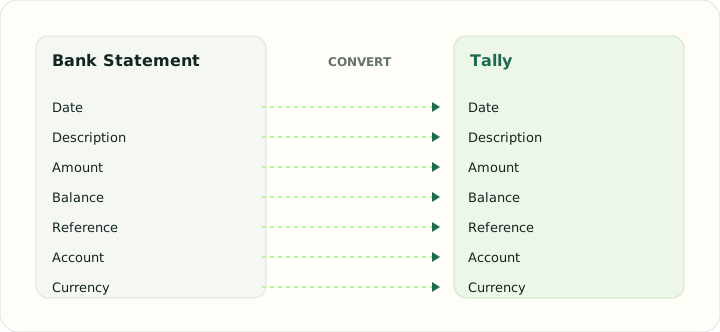
TallyPrime thinks in vouchers and ledgers rather than rows. The table shows how each statement field becomes part of a voucher.
| Field | In Bank Statement | In Tally |
|---|---|---|
| Date | Transaction and posting dates printed on each line | Voucher date |
| Description | Merchant or payee text, often wrapped over two lines | Narration |
| Amount | Separate debit and credit columns, or a signed amount | Debit and credit ledger entries |
| Balance | Running balance after each line on most statements | Ledger balance maintained by Tally |
| Reference | Check numbers and bank references inside the description | Voucher number |
| Account | Masked account number and statement period in the header | Ledger names that exist in the company |
| Currency | Statement currency in the header | Company base currency |
Converting Bank Statement to Tally in practice
From statement lines to Tally bank vouchers
Tally export requires two distinct ledger names that already exist in your company. Provide the bank and counterparty ledgers before conversion. The output uses balanced journal entries and carries the parsed transaction date, signed amount and description; it does not validate your ledger setup.
PDF input is accepted only when it matches the documented searchable table layout. The sign comes from the signed Amount column; section-based deposits/withdrawals and value dates are not inferred.
After converting, check that:
- Both ledger names exist and are spelled exactly as in Tally
- Entry direction matches each signed amount
- Date and narration match the source rows
How to convert Bank Statement to Tally in three steps
- 1Upload the statementsAdd the PDFs for the months you want to post.
- 2Map ledgers and check totalsConfirm the counter-ledger for each description pattern and check that receipts and payments sum to the statement's totals.
- 3Download and importImport the file through TallyPrime's bank import and verify the bank ledger balance against the statement.
About Bank Statement and Tally
Bank statements in India commonly print Withdrawal and Deposit columns rather than signed amounts, with cheque numbers and UPI or NEFT references in the description. The converter reads those columns directly.
TallyPrime records bank activity as vouchers posted against ledgers. Every voucher needs a ledger that already exists in the company, which is why ledger mapping is part of the review step.
Specifications and vendor help for Bank Statement and Tally: TallyPrime help
Questions about Tally conversion
Do I have to create ledgers before importing?
The bank and counterparty ledgers must already exist in Tally. Enter their names in the export details; this tool does not create or validate ledgers.
Which voucher types are produced?
Receipts for deposits, payments for withdrawals, and contras when the counter-ledger is another bank or cash ledger.
Are UPI and NEFT references kept?
Yes, inside the narration, exactly as the statement printed them.
Can I use the value date instead of the transaction date?
No. The exporter uses the parsed transaction date; value-date selection is not available.