Date, payee, category, check number, Debit, Credit and balance columns.
Supported input and export details
QIF split transactions are not supported. Ambiguous dates require the date order to be selected.
PDF reports support Latin text only and are a working copy, not an official bank statement.
Set required export details in “Account and export details” before converting. The preview shows up to ten transactions and totals by account and currency. Opening or running balances are not inferred, and previewed transactions cannot be edited here. Download links expire after 24 hours.
Why convert QIF files to PDF
The report contains a generic title, totals and plain text transaction rows. It is not a formal statement and does not calculate opening, closing or running balances.
Only supported unsplit QIF transactions can be rendered.
The report does not calculate a running balance from a supplied opening figure.
Multi-account exports produce one section per account.
Long histories break across numbered pages with the header row repeated.
The QIF is deleted after the job is created; the PDF is built from the extracted rows, not from a stored file.
Who converts QIF to PDF
Legacy history becomes a document that will still open in decades.
Financial history can be presented without the original software.
Client history is reviewed as a printed ledger.
A readable record survives the program's retirement.
QIF to PDF: how each field is mapped
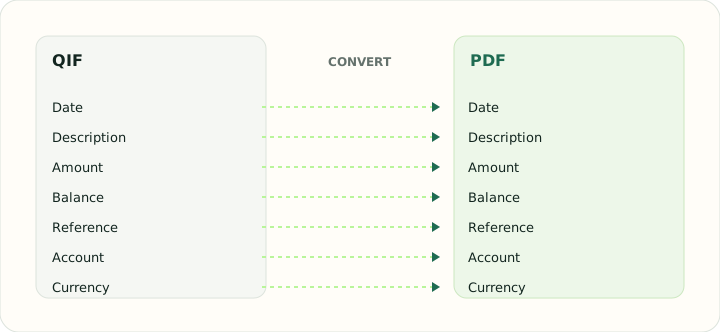
The report prints each QIF field in a column. The table shows the code and its printed location.
| Field | In QIF | In PDF |
|---|---|---|
| Date | D line, locale-dependent format | Printed date column |
| Description | P (payee) and M (memo) lines | Printed description column |
| Amount | T line, signed | Printed Debit and Credit columns with totals |
| Balance | Not stored | Printed running balance |
| Reference | N line for check number | Printed within the description |
| Account | !Account header block | Report header |
| Currency | Not stored; account currency applies | Formatted with a symbol in each cell |
Converting QIF to PDF in practice
Archiving QIF history as a readable report
The PDF report includes a generic title, grouped totals and one text line per accepted transaction. It does not include an opening balance, running balance or official statement layout.
Split transactions are rejected during parsing. Use an unsplit QIF export to create this simple working report.
After converting, check that:
- Descriptions and signed amounts match the source
- Grouped totals are correct
- The report is treated as a working copy
How to convert QIF to PDF in three steps
- 1Upload the QIFAdd the history you want as a printed ledger.
- 2Choose date order if neededSet the order for ambiguous QIF dates in the export details.
- 3Download the PDFPrint it, or store it as the readable copy of the QIF.
About QIF and PDF
QIF holds letter-coded transactions with categories and splits but no balances and no identifiers.
PDF fixes the content on the page; the report is a readable presentation, not an accounting import.
Specifications and vendor help for QIF and PDF: Quicken support · PDF Association
Questions about PDF conversion
Does the report show a running balance?
No. The PDF includes transaction rows and grouped totals only.
Are splits printed?
No. Split transactions are rejected before export.
Can I produce one report per account?
Yes. Multi-account exports are separated into sections.
What paper size is used?
It prints on A4 and on Letter paper with the same margins.
Is this a qif to pdf converter free to use?
Yes. Uploading the QIF, entering the opening balance and downloading the PDF is free.