Each STMTTRN becomes one row with the fields QuickBooks would read.
Supported input and export details
Bank and credit-card transactions are supported. Investment downloads and unsupported statement structures are rejected.
Set required export details in “Account and export details” before converting. The preview shows up to ten transactions and totals by account and currency. Opening or running balances are not inferred, and previewed transactions cannot be edited here. Download links expire after 24 hours.
Why convert QBO files to CSV
A QBO file is meant for QuickBooks, not for people or spreadsheets. Extracting its transactions into CSV makes the download reviewable before it is uploaded, lets it be merged with other exports, and provides a plain copy for anyone who does not use QuickBooks.
Account ID, account type and currency from the header are repeated on every row.
Choose a signed Amount column or separate Debit and Credit columns in review.
The FITID column allows de-duplication against other downloads.
DTPOSTED timestamps are written as YYYY-MM-DD.
The QBO is removed from the server the moment the job is created; only a checksum and metadata remain.
Who converts QBO to CSV
A download can be checked in a spreadsheet before it touches the QuickBooks ledger.
Someone who received a QBO file can read it without QuickBooks.
Transaction data merges into reporting workbooks with account columns intact.
A failed upload can be inspected row by row.
QBO to CSV: how each field is mapped
QBO fields map one-to-one onto CSV columns. The table shows the element and the column it becomes.
| Field | In QBO | In CSV |
|---|---|---|
| Date | Posting date as a DTPOSTED timestamp | One text column; ISO format recommended |
| Description | Payee in NAME, detail in MEMO | Free-text column, quoted when it contains commas |
| Amount | TRNAMT, negative for money out | Signed Amount column, or Debit and Credit columns |
| Balance | Closing balance in LEDGERBAL | Optional Balance column |
| Reference | Bank identifier FITID; CHECKNUM when present | Optional Reference column |
| Account | Account block plus the INTU.BID number QuickBooks validates | Not stored unless added as a column |
| Currency | Three-letter code in CURDEF | Not stored unless added as a column |
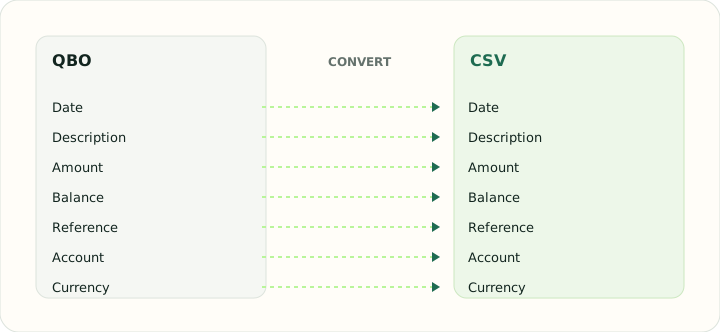
Converting QBO to CSV in practice
Pulling QuickBooks Web Connect transactions into a spreadsheet
A QBO file is an OFX statement with QuickBooks institution metadata. Converting it to CSV extracts the STMTTRN blocks into rows with Date, Type, Payee, Memo, Check Number, Amount and FITID columns, and adds the account ID and currency from the header so the file identifies which account it came from once it is opened in a spreadsheet.
Signs follow the QBO convention: positive TRNAMT is money in, negative is money out. If you prefer separate Debit and Credit columns for reconciliation, choose that layout during review and the signed Amount column is split accordingly.
After converting, check that:
- Row count matches the number of transactions in the file
- Signs or Debit/Credit columns follow the layout you chose
- The account ID column is filled on every row
How to convert QBO to CSV in three steps
- 1Upload the QBOAdd one or more downloads.
- 2Choose the amount layoutSigned column or Debit and Credit columns.
- 3Download the CSVOpen it in Excel, Numbers or Sheets, or feed it to another import.
About QBO and CSV
QBO is an OFX statement wrapped with QuickBooks institution metadata. Its transactions carry posting date, amount, name, memo, check number and identifier.
CSV holds a flat table, so the account context from the QBO header is written into columns to keep it with the rows.
Specifications and vendor help for QBO and CSV: QuickBooks support · RFC 4180, the CSV specification
Questions about CSV conversion
Does the CSV preserve the transaction identifiers?
Yes, in a FITID column.
Which sign convention is used?
Positive is money in and negative money out by default; separate Debit and Credit columns are available in review.
Can I combine downloads from different accounts?
Yes. The account columns identify each row's source.
Are credit card QBO files supported?
Yes. They use the same transaction blocks.
Why use a qbo to csv converter instead of opening the file directly?
A QBO file is tagged text, not a table. Opening it in a spreadsheet shows one column of tags; the converter extracts each transaction into proper columns with the account details alongside.
Is there a qbo to csv converter free and online?
Yes. The converter runs in the browser and downloading the CSV is free, with nothing to install.