Every transaction is written as a TRNS line and an SPL line whose amounts cancel, which is what the importer requires.
Supported input and export details
CSV input requires Date and Amount columns, or Date with both Debit and Credit columns. Ambiguous dates require the date order to be selected.
This accounting export requires the bank and counterparty ledger names used in your accounting company. It does not create or validate ledgers.
Set required export details in “Account and export details” before converting. The preview shows up to ten transactions and totals by account and currency. Opening or running balances are not inferred, and previewed transactions cannot be edited here. Download links expire after 24 hours.
Why convert CSV files to IIF
QuickBooks Desktop does not import a plain table. Its IIF format describes each transaction as a header line and one or more split lines that must net to zero, with account names that match the company file exactly. Building that file by hand in a spreadsheet is error-prone; this converter builds it from the CSV and lets you confirm the account mapping before anything is written.
The bank account and offset accounts are chosen during review; unknown names are flagged because they would fail the import.
Files with separate Debit and Credit columns, a signed Amount column, or Money In and Money Out are all recognised.
A check or reference column is written to DOCNUM so it appears in the QuickBooks register.
The CSV description goes to NAME and, where present, a memo column to MEMO.
The CSV is validated, checksummed and removed from the server once the job exists.
Who converts CSV to IIF
Bank exports that arrive as CSV post into the company file as balanced entries in one import.
The same CSV layout maps to each client's chart of accounts through a saved review.
Accounts the bank cannot connect to QuickBooks Desktop are still updated from the bank's CSV download.
Transaction history exported from another system as CSV can be imported without re-keying.
CSV to IIF: how each field is mapped
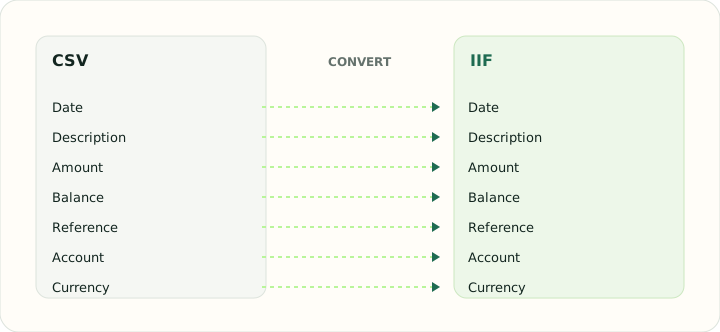
IIF is a double-entry format, so every CSV row becomes two lines. The table shows which CSV column feeds which IIF field.
| Field | In CSV | In IIF |
|---|---|---|
| Date | One text column; ISO format recommended | DATE field on each TRNS line |
| Description | Free-text column, quoted when it contains commas | NAME and MEMO fields |
| Amount | Signed Amount column, or Debit and Credit columns | Signed AMOUNT with balancing SPL lines |
| Balance | Optional Balance column | Not stored; QuickBooks recalculates it |
| Reference | Optional Reference column | DOCNUM field |
| Account | Not stored unless added as a column | ACCNT name that must exist in the company file |
| Currency | Not stored unless added as a column | Company currency |
Converting CSV to IIF in practice
Mapping spreadsheet columns onto IIF transaction blocks
IIF output is a single balanced General Journal pair per transaction. Enter distinct bank and counterparty ledger names that already exist in your company; multi-split allocation and account creation are not supported.
CSV input requires Date and Amount, or Date plus Debit and Credit columns. Signed amounts determine direction, and ambiguous dates require an explicit date-order choice. Verify signs and ledgers before importing.
After converting, check that:
- Every TRNS/SPL pair nets to zero
- Account names match the chart of accounts exactly, including capitalisation
- Payments and deposits landed on the correct side
How to convert CSV to IIF in three steps
- 1Upload the CSVAdd the export from your bank or spreadsheet. Column headings are detected automatically.
- 2Map the accountsChoose the bank account and an offset account for each row or description pattern, and confirm the date format.
- 3Download and importSave the IIF file and import it in QuickBooks Desktop through File → Utilities → Import → IIF Files, ideally after a backup.
About CSV and IIF
A CSV from online banking is a flat table with no notion of accounts or double entry. Its only ambiguity is convention: which column is which, how dates are ordered, and whether a negative number means a payment.
IIF is QuickBooks Desktop's text import format. It declares column headers once, then lists transactions as TRNS and SPL lines that must balance, with account, class and name values that must already exist.
Specifications and vendor help for CSV and IIF: RFC 4180, the CSV specification · QuickBooks support
Questions about IIF conversion
What happens if an account name does not exist in QuickBooks?
The import fails or creates a new account, depending on the version. The review screen lists every name used so you can check them first.
Can one CSV row have more than one split?
Yes. If the CSV has a category column, each distinct category becomes its own SPL line.
Does IIF import detect duplicates?
No. Import each period once and search the register before repeating an import.
Which QuickBooks versions accept IIF?
All QuickBooks Desktop editions. QuickBooks Online does not import IIF; use the CSV to QBO converter instead.
Is this a csv to iif converter free to use?
Yes. Creating the job, mapping accounts and downloading the IIF is free, and it runs online with nothing to install.
How do I convert CSV to IIF file format for QuickBooks Desktop?
Upload the CSV, choose the bank account and offset account in review, download the IIF and import it through File → Utilities → Import → IIF Files.
Can I convert Excel to IIF file with the same tool?
Save the worksheet as CSV first (File → Save As → CSV), then upload it here. The column mapping and account review are the same.