Identifiers, dates, amounts and memos are unchanged.
Supported input and export details
Bank and credit-card transactions are supported. Investment downloads and unsupported statement structures are rejected.
This export requires an account ID, currency, actual closing balance and date; bank feeds also require a routing ID for checking or savings accounts. These values are not guessed, and destination compatibility is not guaranteed.
Set required export details in “Account and export details” before converting. The preview shows up to ten transactions and totals by account and currency. Opening or running balances are not inferred, and previewed transactions cannot be edited here. Download links expire after 24 hours.
Why convert QFX files to OFX
Some accounting and personal-finance programs follow the OFX specification strictly and refuse files with Quicken's INTU elements or a .qfx extension. Stripping those elements and writing a compliant header makes the download importable without changing a single transaction.
INTU.BID and INTU.USERID are dropped from the header.
The file is written with a standard OFX header in the version you choose.
LEDGERBAL and AVAILBAL are preserved.
Unchanged FITIDs mean the destination detects anything already imported.
Your download is not kept: it is validated, hashed for the job record and then wiped from the server.
Who converts QFX to OFX
Programs that follow the specification accept the cleaned file.
Downloads collected for Quicken import into the replacement program.
GnuCash and similar programs read the standard file.
QFX test files become specification-compliant samples.
QFX to OFX: how each field is mapped
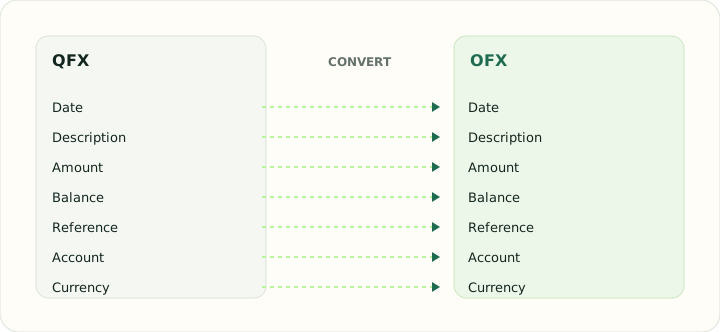
Transaction and balance elements are identical in both formats. The table shows what is preserved and what is removed.
| Field | In QFX | In OFX |
|---|---|---|
| Date | DTPOSTED timestamp, date part used | DTPOSTED in YYYYMMDD form |
| Description | NAME holds the payee, MEMO the longer text | NAME and MEMO elements |
| Amount | Signed TRNAMT value | Signed TRNAMT |
| Balance | LEDGERBAL as of the download date | LEDGERBAL block at statement close |
| Reference | FITID from the bank, CHECKNUM for checks | FITID unique ID plus CHECKNUM |
| Account | Account block with Quicken's INTU.BID institution ID | BANKACCTFROM with routing and account IDs |
| Currency | CURDEF code | CURDEF element |
Converting QFX to OFX in practice
Removing the Quicken branding from a Web Connect file
Some accounting and personal-finance programs accept OFX but refuse a file with a .qfx extension or with Quicken's INTU elements in the header. The converter strips those elements, keeps every transaction and balance block exactly as downloaded, and writes a standards-compliant OFX header so the file imports into software that follows the specification rather than Quicken's variant.
Nothing about the transactions changes: FITIDs, dates, amounts and memos are byte-for-byte the same, which means a later import of the original QFX into the same program will be recognised as a duplicate.
After converting, check that:
- No INTU.BID or INTU.USERID elements remain in the header
- Transaction count and FITIDs match the source
- The destination program opened the file without a version warning
How to convert QFX to OFX in three steps
- 1Upload the QFXAdd the file your bank produced for Quicken.
- 2Choose the OFX versionSGML OFX 1 or XML OFX 2, depending on the destination.
- 3Download the OFXImport it into your software.
About QFX and OFX
QFX is OFX with Quicken's institution elements added and a Quicken-specific extension. The transactions inside are standard.
OFX in its standard form is what specification-following software expects: a compliant header, account block, transaction blocks and balances.
Specifications and vendor help for QFX and OFX: Quicken support · Financial Data Exchange, maintainer of the OFX standard
Questions about OFX conversion
Will the transactions be altered?
No. Only the header changes.
Which OFX version should I choose?
OFX 1 for most desktop software; OFX 2 for programs that require XML.
Will my program detect duplicates?
Yes, if it uses FITIDs, because they are unchanged.
Are investment QFX files supported?
Only banking and card statements.
Is there a qfx to ofx converter that works on Mac?
Yes. The converter is browser-based, so it works the same on Mac and Windows.