Dates, amounts and text are stored with the right types.
Supported input and export details
QIF split transactions are not supported. Ambiguous dates require the date order to be selected.
Set required export details in “Account and export details” before converting. The preview shows up to ten transactions and totals by account and currency. Opening or running balances are not inferred, and previewed transactions cannot be edited here. Download links expire after 24 hours.
Why use this QIF to Excel converter
This workbook stores supported unsplit QIF transaction fields as typed dates, amounts and text. It does not expand splits or create split indexes.
Multi-line QIF splits are rejected rather than flattened.
Parent:Child categories are kept whole and also split into two columns.
Multi-account exports stay sortable.
Ambiguous dates require a chosen month/day or day/month order.
The QIF export is validated, fingerprinted with SHA-256 and removed as soon as the job exists.
Who converts QIF to Excel
History moves into a workbook that outlives the program.
Years of Quicken data feed reports and tax schedules.
Client history is reviewed with totals by category.
Household finances stay readable in a spreadsheet.
QIF to Excel: how each field is mapped
Every QIF field has a natural cell type. The table shows the code and how it is typed.
| Field | In QIF | In Excel |
|---|---|---|
| Date | D line, locale-dependent format | Typed date cells that sort and filter correctly |
| Description | P (payee) and M (memo) lines | Text cells; wrapped descriptions stay in one cell |
| Amount | T line, signed | Numeric Debit, Credit and signed Amount cells |
| Balance | Not stored | Numeric running balance column |
| Reference | N line for check number | Text cells so leading zeros survive |
| Account | !Account header block | Sheet header or a dedicated column |
| Currency | Not stored; account currency applies | Number format applied per column |
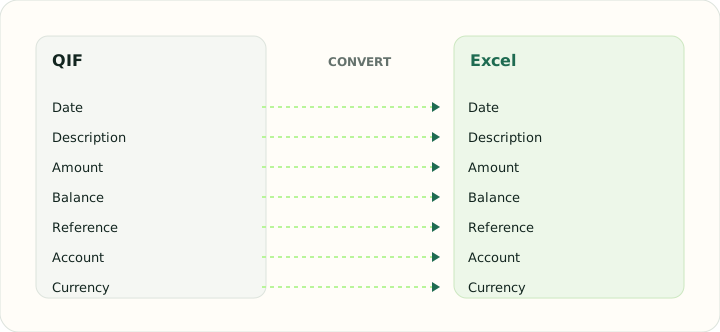
Converting QIF to Excel in practice
Bringing supported legacy Quicken data into a workbook
A QIF export often represents years of personal or small-business history. The converter writes it into a worksheet with typed date cells, numeric amounts, and text columns for payee, category, memo and check number, and adds an Account column taken from the !Account header so a file exported from several accounts stays sortable by account.
Split records are rejected rather than flattened. The workbook does not produce split indexes, parent/child category columns or a manual review screen.
After converting, check that:
- Amounts match the supported unsplit records
- Ambiguous dates use the selected order
- The Account field matches the input header where present
How to convert QIF to Excel in three steps
- 1Upload the QIFAdd the export from Quicken or your budgeting app.
- 2Confirm the date orderCheck interpreted dates against raw lines.
- 3Download the workbookOpen it and pivot on the category columns straight away.
About QIF and Excel
QIF is a letter-coded plain-text format from early Quicken, still exported by many programs. Its weak points are locale-dependent dates and the absence of identifiers.
An XLSX workbook stores typed cells, which makes the history sortable and summable immediately.
Specifications and vendor help for QIF and Excel: Quicken support · Microsoft Excel support
Questions about Excel conversion
Are QIF splits supported?
No. Split records are rejected.
Are categories kept whole?
A single parsed category value is included when available.
What if dates are two-digit years?
The parser uses its fixed two-digit-year pivot; ambiguous date order must be selected.
Can I convert several QIF files at once?
Yes. Each file's account appears in the Account column.
Is this qif to excel converter online only?
Yes. It runs in the browser, so there is nothing to install on Windows or Mac and the workbook downloads directly.
How do I import QIF to Excel without converting?
Excel cannot read QIF directly; it is a letter-coded text format. Convert the QIF file to Excel here, then open the workbook.
Is the qif to excel converter free?
Yes. Uploading, reviewing dates and downloading the workbook is free.