Dates are Excel dates, amounts are numbers with two decimals, and check numbers are text so leading zeros survive.
Supported input and export details
PDF input is limited to searchable text files with a YYYY-MM-DD, Description and signed Amount transaction table. Scanned PDFs and other layouts are not supported; export CSV from your bank instead.
Set required export details in “Account and export details” before converting. The preview shows up to ten transactions and totals by account and currency. Opening or running balances are not inferred, and previewed transactions cannot be edited here. Download links expire after 24 hours.
Why convert Bank Statement files to Excel
The workbook writes parsed dates and amounts as typed cells, with a Summary sheet for totals by account and currency. The strict PDF parser does not recognize arbitrary bank layouts, reconstruct wrapped lines or reconcile statement balances.
Debit and Credit columns are derived from each parsed signed Amount value.
The source filename is included. PDF page numbers are not currently extracted.
Opening and closing balances are not inferred or compared across files.
The second sheet groups transaction counts, money in, money out and net totals by account and currency.
The PDF is checked, hashed and removed after the job is created; only the job record remains.
Who converts Bank Statement to Excel
Month-end reconciliation starts from typed rows instead of an afternoon of copy, paste and clean-up.
Use the workbook as a working copy and compare parsed rows with the bank-issued original.
Cash-flow tracking in a workbook stays current without re-keying statements each month.
Keep parsed transaction data in a sortable workbook alongside the original statement.
Bank Statement to Excel: how each field is mapped
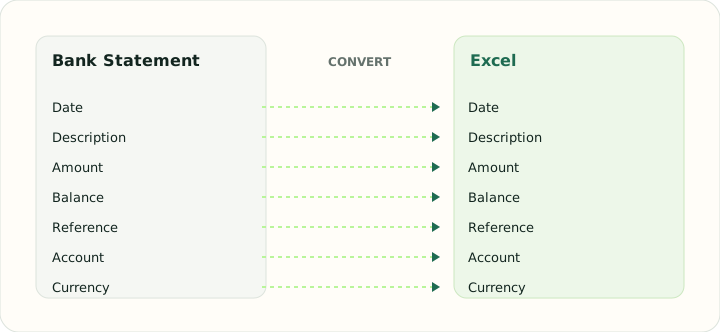
Excel can hold everything a statement contains, but only if each value is written with the right cell type. The table lists each field and how it is typed in the workbook.
| Field | In Bank Statement | In Excel |
|---|---|---|
| Date | Transaction and posting dates printed on each line | Typed date cells that sort and filter correctly |
| Description | Merchant or payee text, often wrapped over two lines | Text cells; wrapped descriptions stay in one cell |
| Amount | Separate debit and credit columns, or a signed amount | Numeric Debit, Credit and signed Amount cells |
| Balance | Running balance after each line on most statements | Numeric running balance column |
| Reference | Check numbers and bank references inside the description | Text cells so leading zeros survive |
| Account | Masked account number and statement period in the header | Sheet header or a dedicated column |
| Currency | Statement currency in the header | Number format applied per column |
Converting Bank Statement to Excel in practice
From printed statement to a typed workbook
The workbook contains typed dates and amounts, signed Amount, and an optional source Balance column when present in the supported PDF table. The parser does not infer Debit/Credit sections, reconstruct wrapped descriptions or attach PDF page numbers.
Multiple source files are included in the same transaction sheet with a source filename. The summary groups transaction counts and totals by account and currency. Opening balances, running-balance chains and statement reconciliation are not calculated.
After converting, check that:
- Dates sort chronologically as dates
- Amounts and optional balances match the source table
- Source filename values identify the uploaded file
Bank statement to Excel sheet: what the workbook contains
The bank statement to Excel converter produces one worksheet per job with a single header row and one transaction per line. Columns are Date, Description, Debit, Credit, Amount and Balance, with the source filename and page number kept in trailing columns so any row can be traced back to the original PDF. Dates are stored as real Excel dates rather than text, amounts are numeric so SUM and pivot tables work immediately, and reference or check numbers are stored as text to protect leading zeros.
Convert bank statements to Excel in batches
Most bookkeeping work involves more than one statement. The converter accepts up to 20 PDF bank statements in a single job, each up to 25 MB, so a full year of monthly statements can be converted together. Overlapping periods and duplicated rows are easier to spot when consecutive months sit in one workbook, and the running balance column gives a quick reconciliation check across the whole range.
Scan bank statements into Excel
Native PDF statements downloaded from online banking contain real text and convert most reliably. Scanned or photographed statements are image-only and are not supported because OCR is not available. Use a searchable PDF in the documented table layout or export CSV from your bank.
Is the bank statement to Excel converter free?
Creating a conversion job and reviewing the extracted transactions on this site is free. There is no software to install and no spreadsheet template to maintain: upload the PDF, review the rows, and download the Excel file. Keep your original statement as the authoritative record and reconcile opening and closing balances before you rely on the exported sheet.
How to convert Bank Statement to Excel in three steps
- 1Add supported PDFsUpload the searchable statement tables you want to convert, up to twenty files.
- 2Review the extractionCompare the preview and grouped totals with the original. This converter does not edit transaction rows.
- 3Export the workbookDownload the XLSX and open it in Excel, LibreOffice or Google Sheets. The original statement stays the record of truth.
About Bank Statement and Excel
Bank statement PDF layouts differ, and this parser accepts only a strict searchable transaction table. Scanned files and other layouts are rejected rather than heuristically reconstructed.
An XLSX workbook stores typed dates and numbers. Its Summary sheet reports parsed transaction totals but does not validate a bank statement's opening or closing balance.
Specifications and vendor help for Bank Statement and Excel: Microsoft Excel support
Questions about Excel conversion
Will the dates sort correctly in Excel?
Yes. They are written as date cells, not text, so sorting and date filters behave normally.
Are debits and credits separate columns?
Yes. They are derived from the signed Amount column, which is also included.
What if my statement is a scan?
Scanned/image-only PDFs are not supported. Text PDFs must use the documented Date, Description, Amount layout; CSV is supported for other layouts.
How many statements fit in one workbook?
Up to twenty matching PDFs per job. Source filenames appear in the workbook for reference.